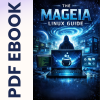
The Mageia Linux Guide is a comprehensive, easy-to-follow PDF ebook that walks you through the entire journey of adopting Mageia as your everyday operating system, from first curiosity to confident daily use. It is written in a friendly, non-technical style that explains concepts clearly without assuming prior Linux knowledge, while still providing enough depth to satisfy more experienced users who want a solid, stable distribution for serious work.
This guide introduces Mageia as a community-driven, stability-focused Linux distribution with roots in the classic Mandrake/Mandriva family, and shows how it can extend the life of your existing hardware while giving you more control and privacy than modern Windows systems. Instead of overwhelming you with jargon, the book leans on everyday analogies and clear explanations to help you understand how Mageia fits into the wider Linux world, and why it is often compared to a “Volvo” of Linux: dependable, safe, and built to last.
What this ebook covers:
- The Magic of Mageia – Understand what Mageia is, its history from Mandriva, and what makes a community-run distribution different from a corporate OS.
- Is Mageia Right for You? – Honest guidance on hardware requirements, 32-bit vs 64-bit, SSD benefits, and what to expect when moving from Windows or another Linux distro.
- Obtaining Mageia – Step-by-step help with downloading official ISO images, verifying safe sources, and creating bootable USB or DVD media (or using pre-made media if you prefer).
- Safe Test Drive – How to use the Live environment to try Mageia without touching your existing system, so you can test Wi-Fi, printers and desktop environments risk-free.
- Installation Walkthrough – A guided tour of the installer, partition choices, and sensible defaults so you can install with confidence without needing to be an expert.
- Welcome App and First Steps – Using the Mageia Welcome screen to configure software sources, enable media codecs, and apply your first system updates.
- Mageia Control Center (MCC) – Learn to use Mageia’s legendary, graphical control hub to manage hardware, users, networking, and security without touching the command line.
- Networking and Wi‑Fi – Practical advice for getting online via Ethernet or Wi‑Fi, plus troubleshooting tips and hardware workarounds if a stubborn adapter misbehaves.
- Desktop Environments – Explore KDE Plasma, GNOME and Xfce, and choose the desktop that best matches your hardware and preferred workflow.
- Software Management – Install and update applications the “App Store” way using Mageia’s package tools, avoiding the Windows habit of hunting random .exe files online.
- Daily Driver Apps – Introductions to web browsers, office suites, media players and other everyday tools so you can handle web, office and multimedia out of the box.
- Customization and Security – Tuning the look and feel, managing users, setting up firewalls and keeping your system updated and secure.
- Community and Next Steps – Where to find help, documentation, forums, and how to use modern AI tools to troubleshoot when you’re stuck.
Who this guide is for:
- Windows switchers who want a calmer, more predictable system without forced updates and telemetry, but still prefer a familiar desktop layout.
- New Linux users who want a structured, start-to-finish journey from download to daily use, without being thrown straight into complex command-line instructions.
- Existing Linux users who are curious about Mageia’s stability, MCC and long-term support approach, and want a focused reference to get up to speed quickly.
- Owners of older PCs and laptops who want to revive hardware with a responsive, modern Linux system instead of throwing it away.
The focus throughout the book is on practical, real-world tasks: installing Mageia, getting online, printing documents, watching videos, managing updates, and installing common software, rather than simply listing features. It gently reassures readers coming from Windows that they don’t need to be “hackers” to use Linux, while still acknowledging that some tasks may require a short learning curve and an open mind to alternative applications.
You can read this PDF easily on your PC, Laptop, Tablet, Phone or Kindle, making it ideal both as a sit‑down tutorial and as a quick reference while you are working through your Mageia installation and configuration.

Number of Pages: 95
Format: PDF
Availability: Instant Delivery via Download
Available Options:
Ebook:

.png "Linux USB Twin Pack (Ubuntu vs Linux Mint)")