The Linux Mint and Ubuntu Guide BUNDLE brings together two complete, plain-language manuals to help you get the most from the two most popular desktop Linux distributions: Linux Mint and Ubuntu. Across more than 500 pages combined, you get a structured, step-by-step path from first install to confident daily use, covering everything from choosing your edition or flavour, to software, gaming, backups, and everyday tasks. Whether you are moving away from Windows, refreshing your skills, or standardising on Linux across several machines, this bundle gives you everything in one place in clear, jargon-free English.
What’s Included in the Bundle:
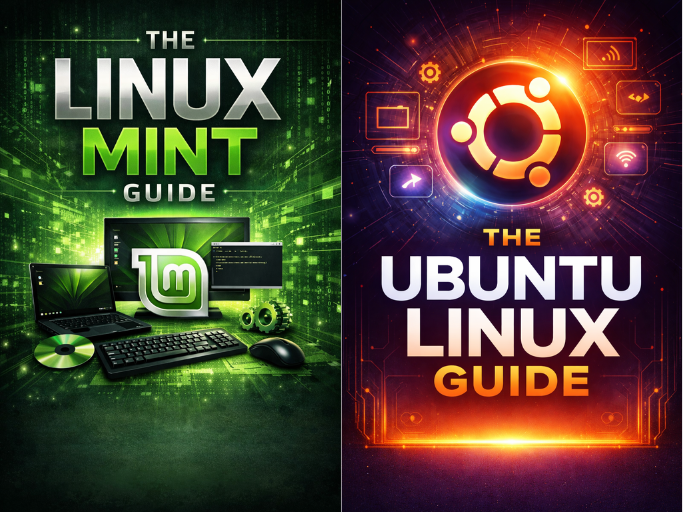
- The Linux Mint Guide (244 pages) – A complete manual for Linux Mint 22, covering Cinnamon, MATE, Xfce and LMDE, installation (including dual boot), the Cinnamon desktop, the Nemo file manager, software management via the Software Manager, Flatpak and the terminal, multimedia, gaming with Steam and Proton, security with UFW and Timeshift, and desktop customisation.
- The Ubuntu Linux Guide (260 pages) – A full guide to Ubuntu and its main flavours (Ubuntu, Kubuntu, Xubuntu, Lubuntu, Ubuntu MATE), including history and concepts, the installer and dual booting, the GNOME desktop, software via Software Centre, APT and Snap, drivers and hardware, open‑source app alternatives, gaming with Steam, Proton and Lutris, security, backups and the terminal.
Key Topics Covered Across Both Guides:
- Choosing the Right Version – Linux Mint editions (Cinnamon, MATE, Xfce, LMDE) and Ubuntu flavours (Ubuntu, Kubuntu, Xubuntu, Lubuntu, Ubuntu MATE) explained so you can match the desktop and resource usage to your hardware and preferences.
- Installation and Dual Booting – Step‑by‑step installation walkthroughs for both Mint and Ubuntu, including partitioning, setting up dual boot alongside Windows, first boot checks, and initial system updates.
- Desktop and File System – Guided tours of the Mint Cinnamon desktop and Ubuntu’s GNOME desktop, along with a clear explanation of the Linux file system layout and how it compares to typical Windows folders and drives.
- Software and App Management – Installing and removing software using graphical tools (Software Manager / Software Centre), Flatpak and Snap stores, as well as classic package management via APT in the terminal.
- Hardware, Drivers and Printing – Setting up graphics drivers (including NVIDIA), Wi‑Fi, printers and other peripherals so your system is ready for real‑world use.
- Office, Multimedia and Web – Opening and editing Word and Excel files with LibreOffice, managing email with Thunderbird, configuring codecs for multimedia playback, and getting popular browsers such as Firefox and Google Chrome configured correctly.
- Gaming on Linux – Steam, Proton, Lutris and related tools explained, including how to run many of your existing Windows games and configure controllers where needed.
- Security, Backups and Updates – Using the UFW firewall, Timeshift snapshots, and backup tools like Deja Dup to protect your system and data, plus how updates work on Mint and Ubuntu.
- The Terminal Explained – Common terminal commands in both Mint and Ubuntu are introduced gently, mapped to familiar tasks, so you can use the command line confidently without needing to be a “power user”.
Who This Bundle Is For:
- New Linux Users – If you are new to Linux, the guides start from first principles and build up in a logical order, without assuming prior knowledge.
- Windows Switchers – Windows concepts and workflows are referenced throughout to make the transition smoother, but the focus stays firmly on helping you feel at home on Mint and Ubuntu themselves.
- Home and Office Users – Ideal for anyone who wants a reliable reference while they migrate their everyday computing (documents, email, web, media, light gaming) to Linux.
- Owners of Multiple Machines – Perfect if you run both Linux Mint and Ubuntu in your household or office and want consistent, in‑depth documentation for both.
Both guides are published by TheLinuxShop.co.uk, one of the UK’s longest‑established Linux retailers, drawing on over 20 years of experience helping users move to Linux and stay productive. You can read them easily on your PC, Laptop, Tablet, Phone or Kindle, keep them open alongside your desktop while you work through the steps, and search instantly for any topic you need.
Number of Pages: 244 (Mint) and 260 (Ubuntu)
Format: 2 PDFs (supplied in Zip File)
Availability: Instant Delivery via Download
Available Options:
Ebook:


